How to get YouTube data for a growth strategy: video and channel analysis

YouTube has more than 2 billion logged-in users every month and processes over 500 hours of uploaded video every minute. It is the second-largest search engine in the world. Yet the majority of creators and brands still build their content strategy the old-fashioned way: watching what competitors post, guessing which topics will resonate, and hoping the algorithm cooperates.
That approach works early on. But as your niche becomes more competitive and your publishing schedule more demanding, manual research stops scaling. You can't audit 20 competitor channels by hand every week, track which video formats are trending across five countries simultaneously, and still have time to actually make content.
What changes everything is structured data. When you can collect trending video metrics, popular channel signals, and keyword data programmatically - across countries, categories, and time - YouTube growth becomes a repeatable system rather than a creative gamble.
This article shows you how to obtain that data using two purpose-built Apify Actors, and how to turn it into a growth strategy grounded in what the platform is actually rewarding right now.
Why YouTube data matters for growth strategy
YouTube operates on two distinct engines: search and recommendations. Search surfaces content in response to specific queries. Recommendations push content to viewers who weren't actively searching - but whose watch history signals a relevant interest. A strong growth strategy needs both, and both require different types of data.
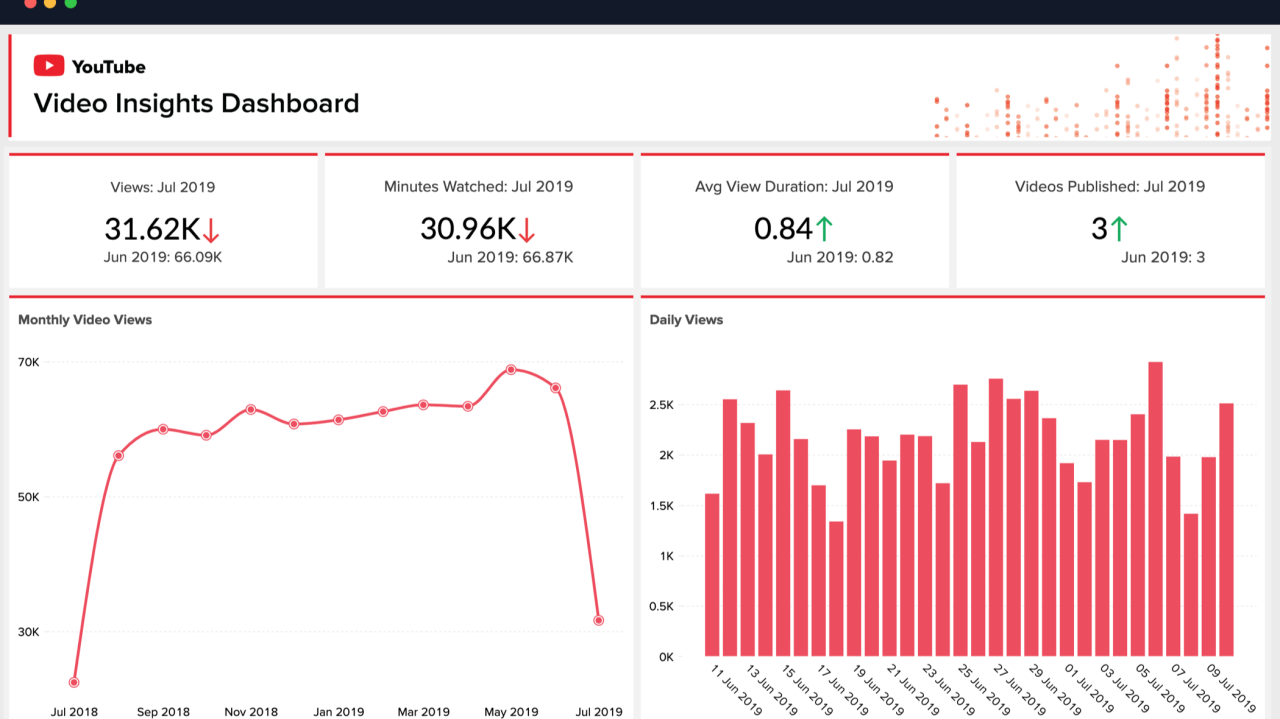
YouTube data for a growth strategy: video and channel analysis
The data that matters most:
- Trending videos by category and country - what the recommendation algorithm is actively amplifying, which formats and topics are getting pushed to new audiences
- Popular channels and their recent content - which creators the platform is currently favoring, and what they're publishing right now
- Popular keywords - what viewers are actively searching for at this moment, not six months ago
- Engagement metrics (views, likes, comments) - signals of content-audience fit that go deeper than raw view counts
The official YouTube Data API was not designed for this kind of research. Its quota limits cap how much data you can pull per day, it has no trending channels endpoint, and accessing granular trend data by country and category requires complex workarounds that hit limits quickly. For recurring competitive research, the API becomes an obstacle rather than a tool.
Purpose-built scraping Actors solve this. The YouTube Trending Videos by Categories Scraper and YouTube Popular Channels Scraper extract exactly what you need - structured, export-ready data - without API keys, quota management, or engineering overhead.
If you want a step-by-step scraping walkthrough before diving into strategy, read How to scrape YouTube trends and popular channels first.
The growth data you can collect and why it matters
Before looking at how to use the data, it helps to understand exactly what each Actor returns and which growth question each data point answers.
| Data point | Source Actor | Growth use case |
|---|---|---|
| Trending video rank, title, views, likes | YouTube Trending Videos by Categories Scraper | Spot viral formats and topics before your competitors do |
published_time_text (e.g., "Yesterday", "3 hours ago") | YouTube Trending Videos by Categories Scraper | Identify how quickly content trends and optimal publishing windows |
| Video thumbnail URL | YouTube Trending Videos by Categories Scraper | Analyze thumbnail patterns that correlate with high click-through rate |
| Channel name, recent videos, video URLs | YouTube Popular Channels Scraper | Identify which channels are dominating your niche right now |
| Popular keywords | YouTube Popular Channels Scraper | Discover high-intent search terms for SEO and content ideation |
| Category breakdown per country | Both Actors | Understand regional audience preferences for localized content strategies |
| Engagement ratio (likes / views) | YouTube Trending Videos by Categories Scraper | Filter for content that converts viewers, not just attracts them |
Together, these two Actors give you a full picture view of what YouTube is amplifying in your space - the videos rising to the top and the channels being pushed to new audiences.
Using trending video data for content strategy
Trending videos are the algorithm's endorsement. They represent the exact combination of topic, format, title structure, and production style that YouTube is choosing to amplify in a given country and category at a specific moment. Analyzing these patterns systematically - rather than browsing trending pages manually - reveals what's working before it becomes obvious.
How to collect trending video data
- Go to YouTube Trending Videos by Categories Scraper on Apify. Create a free account if you don't have one.
- Select your target Country (e.g.,
united-states,united-kingdom,india,brazil). - Select your Category (e.g.,
gaming,music,howto-and-style,science-and-technology). - Click Save & Start. The run completes in seconds.
- Preview results in the table view or export as JSON, CSV, or Excel.
Each result includes: rank, video title, video URL, thumbnail URL, author (channel name), published_time_text, views, likes, and comments.
{
  "rank": "1",
  "video_title": "Marvel Television's Wonder Man | Official Trailer",
  "video_url": "https://youtube.com/watch?v=wHuWmjXsReU",
  "author": "Marvel Entertainment",
  "published_time_text": "Yesterday",
  "views": "5.2M",
  "likes": "113K",
  "comments": "4.9K",
  "country": "united-kingdom",
  "category": "All"
}
Run this Actor across multiple countries and categories, and you have a competitive intelligence layer that updates every time you trigger it.
Competitor channel analysis: who's winning and why
Channel analysis is where most creators focus - but most do it wrong. They look at subscriber counts. A channel with 800k subscribers might not have posted in two months and could be algorithmically invisible. The more useful signal is which channels are currently appearing as popular in trending data - because that reflects what YouTube is actively recommending to new viewers right now.
Why popular channel data beats subscriber counts
The YouTube Popular Channels Scraper returns the channels YouTube is currently surfacing as "buzzing" in a given country and category, along with their most recent videos. This is fundamentally different from a ranked list of the biggest channels. A channel with 80k subscribers appearing here is actively growing. A channel with 2 million subscribers that doesn't appear has lost algorithmic favor.
This distinction matters enormously for competitor research. Your real YouTube competitors are not necessarily your biggest industry rivals - they're the channels competing for the same viewer attention and winning right now.
What to analyze in popular channel data
Publishing frequency and recency. How many videos has each trending channel posted in the last 30 days? Channels maintaining a consistent 2-3 videos per week in trending data signal that the algorithm rewards their cadence. That's a publishing frequency benchmark, not just an aspiration.
Topic and title patterns. Across a channel's recent trending videos, which topics repeat? If a competitor's recent 6 trending videos are all about personal finance for under-30s, that sub-niche is clearly working for their audience. Look for the intersection between their most successful topics and gaps in your own content calendar.
Cross-country channel overlap. Run the Actor for the same category across the US, UK, and Australia. Channels appearing in all three are building genuine algorithmic momentum across English-speaking markets. These are the channels worth monitoring most closely.
How to collect popular channel data

YouTube Popular Channels Scraper
- Go to YouTube Popular Channels Scraper on Apify.
- Select your Country and Category.
- Click Save & Start. Results include channel names, recent video URLs, and popular keywords for the selected market.
- Export and repeat for 3-5 target countries.
- Build a simple tracking sheet: channel name, countries trending in, recent topic themes, and estimated posting frequency. Update it weekly.
{
  "country": "united-kingdom",
  "category": "all"
}
Building a multi-country growth intelligence system
A one-off data pull gives you a snapshot. A repeatable system gives you a competitive advantage that compounds over time. Here's how to build one without a development team.
The architecture
- Collect - run both Actors weekly across your target countries (3-5) and category
- Store - export results to Google Sheets or Airtable with a date column so you can track changes over time
- Analyze - compare week-over-week: are the same channels trending, or new ones emerging? Are keywords shifting? Are engagement ratios moving up or down?
- Act - translate the top 3 insights into your next 2 weeks of content: one trending topic, one underserved format, one keyword to target
Scheduling automatic runs
From Apify Console:
- Configure your Actor run (country + category)
- Click Save as a new task and give it a name (e.g., "US Gaming Trends - Weekly")
- Go to Schedules in the left navigation and click Create new schedule
- Add your task and set the frequency - weekly is a good starting cadence
No code required. The Actor runs automatically, and new results are appended to the dataset.
For developers: automate with Python
If you're building a dashboard, feeding a machine learning model, or integrating this data into a larger pipeline, the apify-client makes automation straightforward.
Install the client:
pip install apify-client
Run the YouTube Popular Channels Scraper programmatically:
from apify_client import ApifyClient

client = ApifyClient("YOUR_API_TOKEN")

run_input = {
    "country": "united-states",
    "category": "gaming",
}

run = client.actor("eunit/youtube-popular-channels-scraper").call(run_input=run_input)

for item in client.dataset(run["defaultDatasetId"]).iterate_items():
    print(item)
Swap eunit/youtube-popular-channels-scraper for eunit/youtube-trending-videos-by-categories to pull trending video data instead. The input schema is identical. You can run both Actors in sequence and merge the outputs into a single structured dataset for a complete weekly intelligence snapshot.
Your API token is in Settings > API & Integrations in Apify Console.
Pricing: what this costs in practice
Both Actors use a Pay-Per-Event pricing model. You are charged a fixed amount per result successfully scraped - not for platform compute time or server usage.
| Actor | Price |
|---|---|
| YouTube Trending Videos by Categories Scraper | from $1.00 / 1,000 results |
| YouTube Popular Channels Scraper | from $1.90 / 1,000 results |
In practice, running a weekly trend scan across 5 countries with 1 category each returns approximately 200-300 data points - costing under 1.20/month.
Traditional SaaS YouTube analytics platforms typically charge between USD49 and USD299/month for dashboards with less granular, less current data than you get from a direct scrape. The Pay-Per-Event model means you pay exactly in proportion to how much data you need. Scale up for a product launch. Scale down during quiet weeks. No subscriptions, no idle spend.
Legal and ethical considerations
Both Actors collect publicly available data - information that any user can see by visiting YouTube without logging in. They do not access private videos, user passwords, private messages, or any content that requires authentication.
Scraping public data for research, competitive intelligence, and informational purposes is generally considered acceptable in most jurisdictions. Operate within YouTube's Terms of Service, use the data for your own analysis, and avoid any use cases that involve republishing scraped content without appropriate attribution.
For Apify's broader guidance on ethical web scraping, see the Apify documentation.
Wrapping Up
YouTube growth stops being a guessing game when you treat it like a data problem. Trending videos tell you what the algorithm is amplifying right now. Popular channel data shows you who it's amplifying and why. Engagement ratios reveal which content is building real audience relationships versus passive viewership. And popular keywords hand you the exact search terms your potential viewers are using today.
The growth loop becomes repeatable: collect data weekly, identify the 2-3 highest-signal patterns, build your next content batch around them, and measure whether your own engagement metrics are converging with trending benchmarks.
The best channels in every niche are already doing this. The ones that aren't are still guessing.
Start collecting:
- YouTube Trending Videos by Categories Scraper - from $1.00 / 1,000 results
- YouTube Popular Channels Scraper - from $1.90 / 1,000 results
FAQ

Emmanuel Uchenna
@eunit99Hi, I’m Emmanuel Uchenna — a frontend engineer, technical writer, and digital health advocate passionate about building technology that empowers people. With over five years of experience, I specialize in crafting clean, scalable user interfaces with React, Next.js, and modern web tooling, while also translating complex technical ideas into clear, engaging content through articles, documentation, and whitepapers.